

Live deployment · filmed on site

Four digital colleagues, already at work.

A welding-consumables exporter in Jiangsu runs its overseas prospecting on four ordinary office PCs. Everything on this page was filmed in their office.

IndustryWelding consumables export
Hardware4 Windows office PCs
NetworkOffice LAN, no public IP
Live sinceOctober 2026
Meet the team

One desk each, one job each.

These are the real desks and screens in the office. We used AI to place each digital colleague — in their official workspace portrait — in the chair where their PC actually runs.

Owen at a real workstation
Real workstation · AI-rendered colleague

OwenLead research

Searches customs trade data by HS code and product, opens each importer, picks contacts with usable email addresses and records them in the shared lead ledger.


  • Trade data
  • HS codes
  • Lead ledger
Cooper at a real workstation
Real workstation · AI-rendered colleague

CooperSocial prospecting

Finds target companies through X and LinkedIn signals, visits their websites and fills in the decision maker, site and company email.


  • X / LinkedIn
  • Company sites
  • Enrichment
Cora at a real workstation
Real workstation · AI-rendered colleague

CoraOutreach email

Sends personalised first emails matched to what each buyer actually imports, only during the recipient’s local business hours and within strict pacing limits.


  • Local hours
  • Pacing
  • Personalised
Kira at a real workstation
Real workstation · AI-rendered colleague

KiraInquiries & deals

Checks the inbox, separates bounces and auto-replies from real replies, confirms each real reply, sends follow-ups on day 3/7/14 and alerts sales by SMS.

  • Inbox triage
  • Follow-ups
  • SMS alerts
What is on the screen

A real screen, explained.

Photographed at Cooper’s desk. Hover a number to see what each area does.

Photo of the ops wall on Cooper's monitor

Unretouched photo from the customer’s office. Prospect data on screen is public company information.

  • 1
    Team liveAll four colleagues, their current task and today’s counters.
  • 2
    Hand-off timelineWho passed what to whom, and whether it finished.
  • 3
    Real browserCooper is reading a prospect’s website in a real Edge window.
  • 4
    File windowA read-only mirror of what the agent is reading and writing.
  • 5
    Customer graphLeads found by each colleague and how far they have progressed.
  • 6
    Global reachWhere today’s prospects are located.
  • 7
    Prospecting funnelCompanies found → emails found → emails sent → replies.
Raw footage

Unedited, from the office floor.

Sound removed for privacy; nothing else changed.
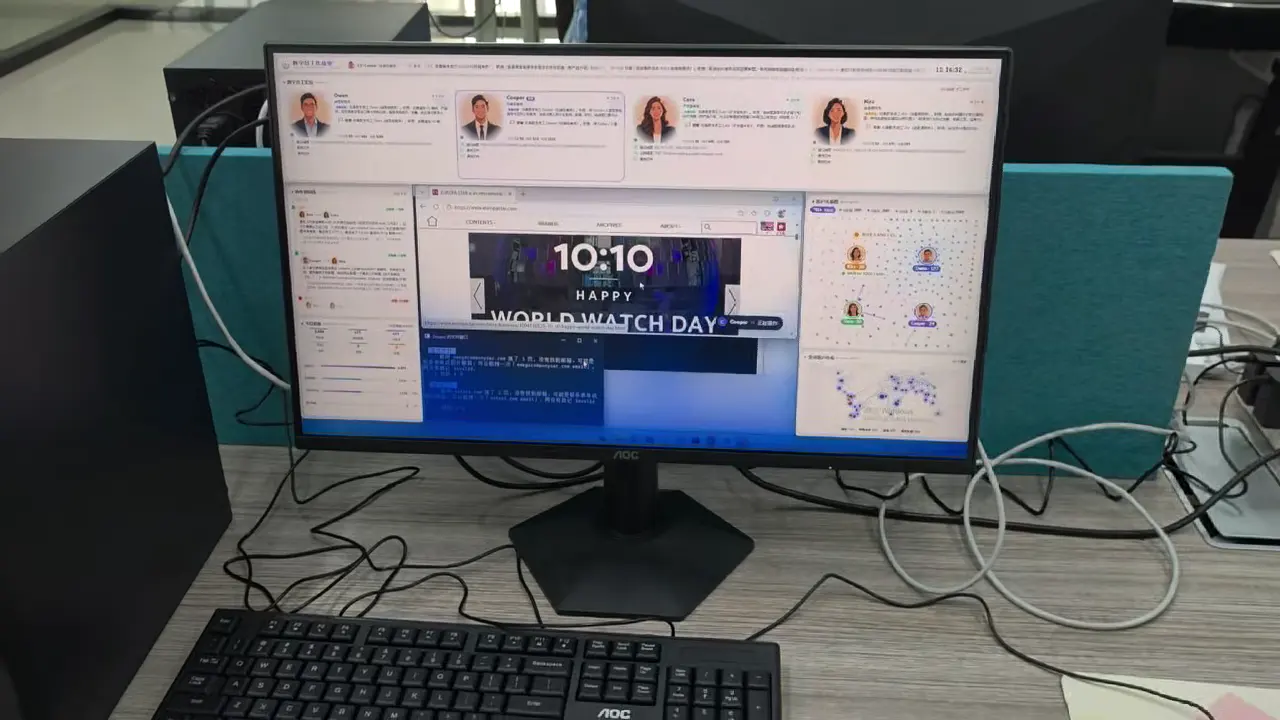
0:52

Office tour: four desks, four colleagues

Walking past each workstation while the team works — every screen is live.
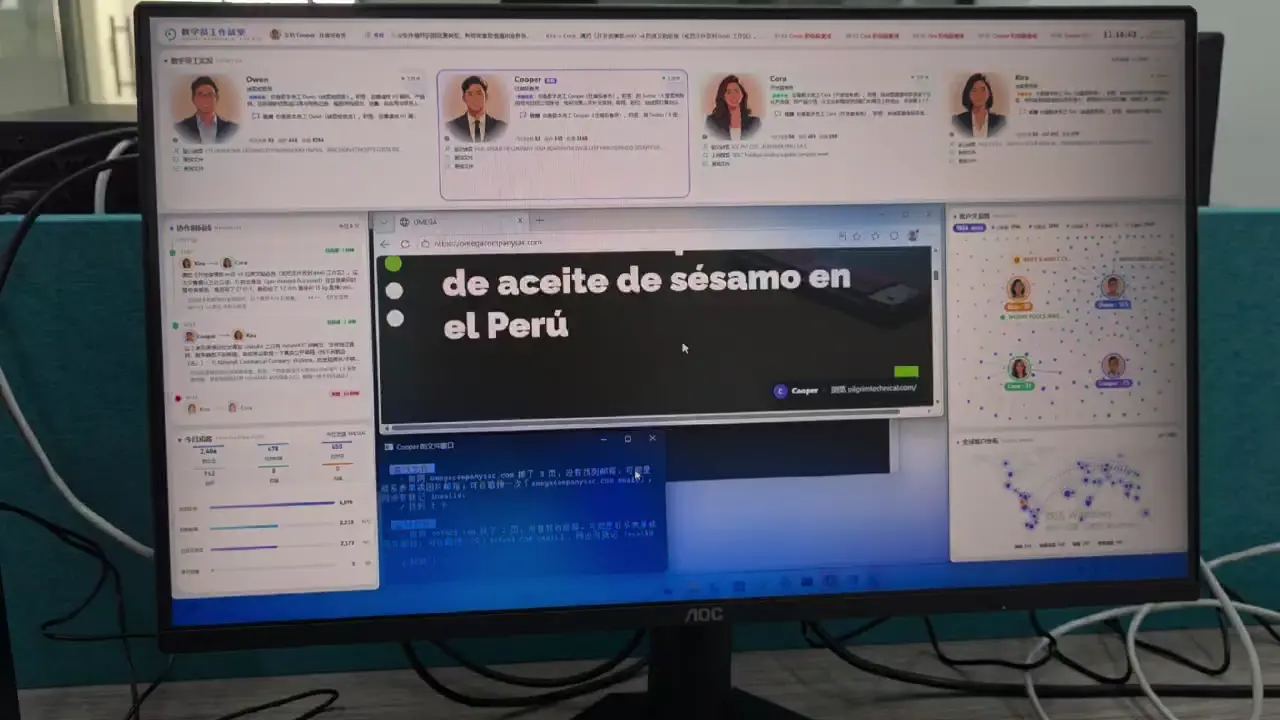
1:47

Close-up: Cooper researching prospects

Cooper opens prospect websites one after another, looks for contact emails and logs the result.

The workflow

One prospecting line, four hand-offs.

Each colleague owns one step and hands the lead to the next through a shared ledger — no copy-and-paste between people.

Owen
Step 1 · Find

Buyers from trade data

HS codes and products → importers with real purchase records.

Cooper
Step 2 · Enrich

Contacts and websites

Company site, decision maker and a usable email — or mark it invalid.

Cora
Step 3 · Reach out

Right email, right time

Product matched to what they import; sent 9:00–16:30 their time.

Kira
Step 4 · Convert

Replies become inquiries

Real replies confirmed, follow-ups on schedule, sales alerted by SMS.

2,406companies found
478emails found
450first emails sent
4 / 4colleagues online

Counters as shown on the ops wall at the moment the photo above was taken.
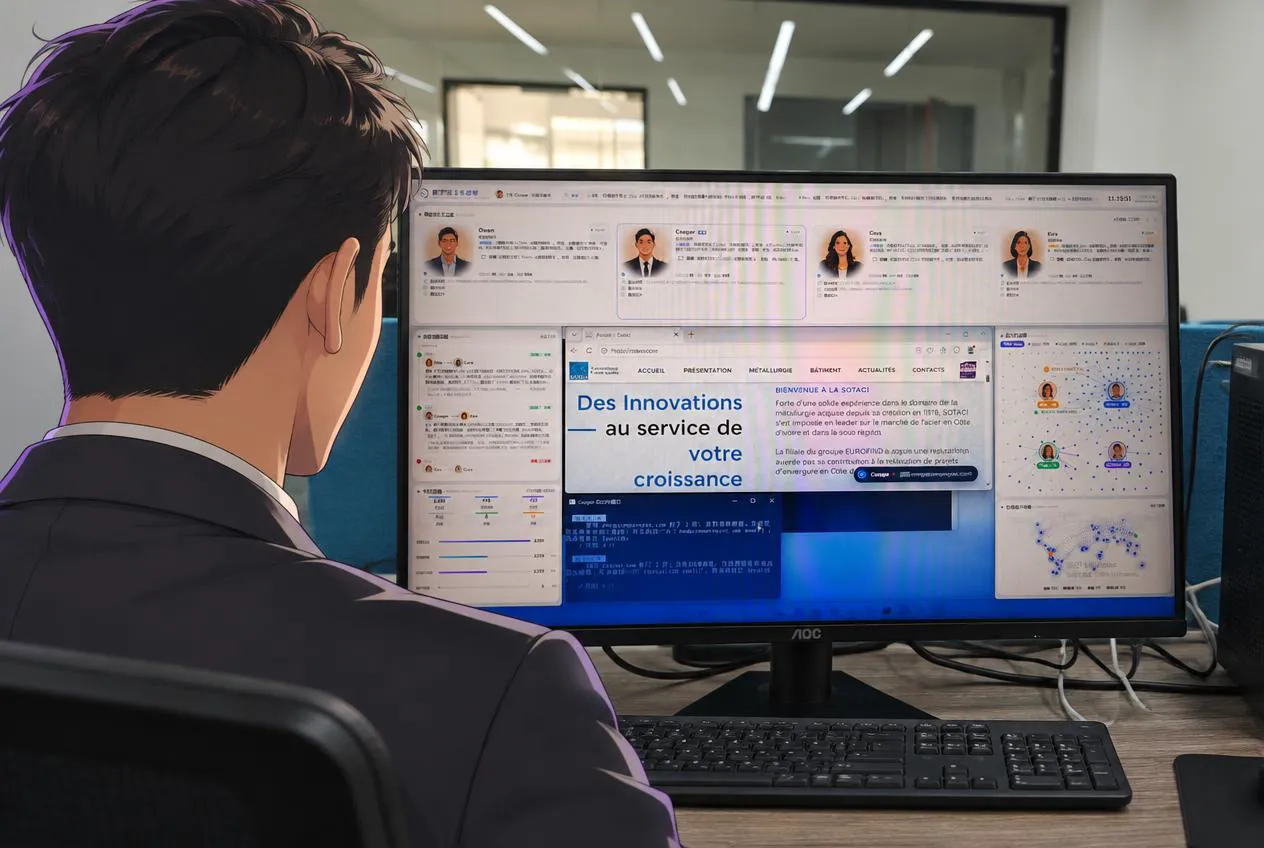
Over-the-shoulder view of Cooper at his real workstation
People stay in control

Automated where it’s safe. Reviewed where it matters.

The team set the rules once in the workspace; the digital colleagues work inside them around the clock.

  • Budget gateA daily spending cap for models and search. When it is reached, no new work is dispatched.
  • Sending limitsPer-mailbox intervals and hourly and daily caps are enforced by the server, not by the model.
  • Reply review firstA reply is only treated as a real customer reply after a second check — better to miss than to mis-alert.
  • Credentials stay localMailbox and website passwords are encrypted on each PC and typed in locally.

Start with one desk.

Most teams start with one role on one PC and add colleagues as the results come in.